

How can I change my username?

Winder S
Feb 24, 2026

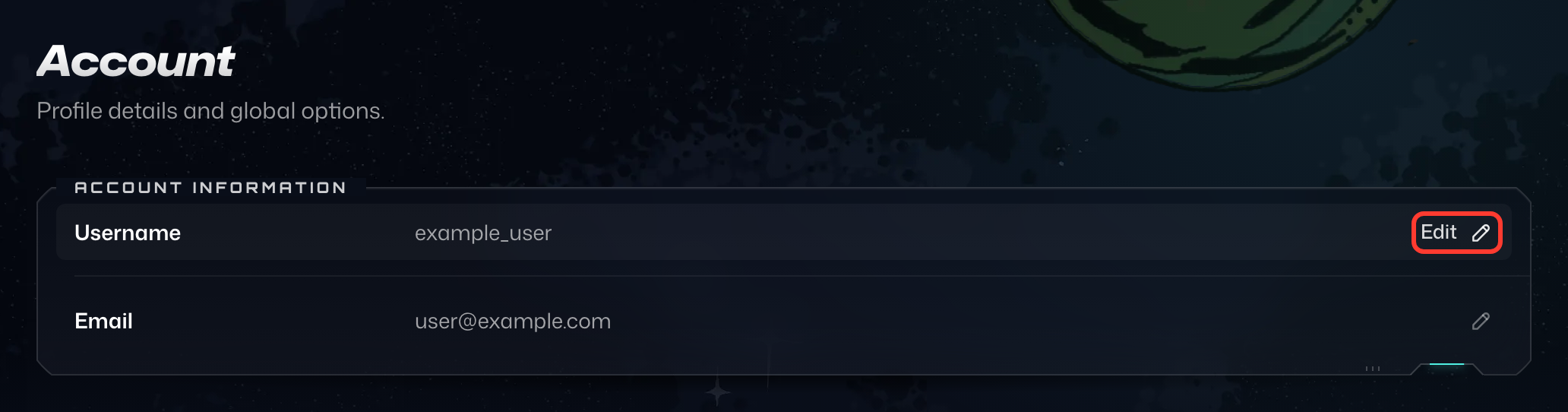
Since November 2025, Pro users can change their username themselves on the Account tab in My Account:
- In the Account Information card, press Edit (the pencil icon) on the Username row.
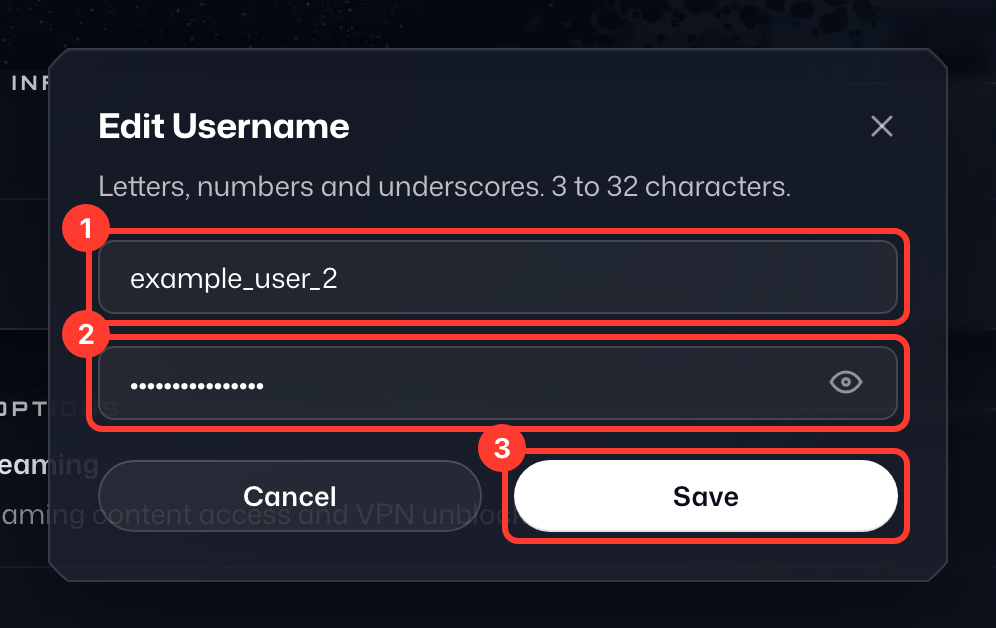
- In the Edit Username dialog, enter your New Username (1) and your Current password (2).
- Press Save (3).
- A Username updated message confirms the change.
On a free account, the Username row shows Upgrade to change instead.
If you have any issues, or you are not on Pro, please reach out to our Support Team (https://windscribe.com/contact-support) via Garry (our helpful Support Bot) with 3 choices for what you'd like your new username to be, in order of preference. We will apply whichever one is available.
Be advised that we have millions of registered users, so most common usernames will already be in use (try adding numbers).
If your account contains a paid subscription, please also include the details regarding your last payment as proof of ownership upon request.