

Where can I find my account details?

Winder S
Mar 3, 2025

All the account details available to users can be found in My Account once you're logged into the website. They're spread over four tabs, and the numbers in each screenshot match the list below it.
Overview
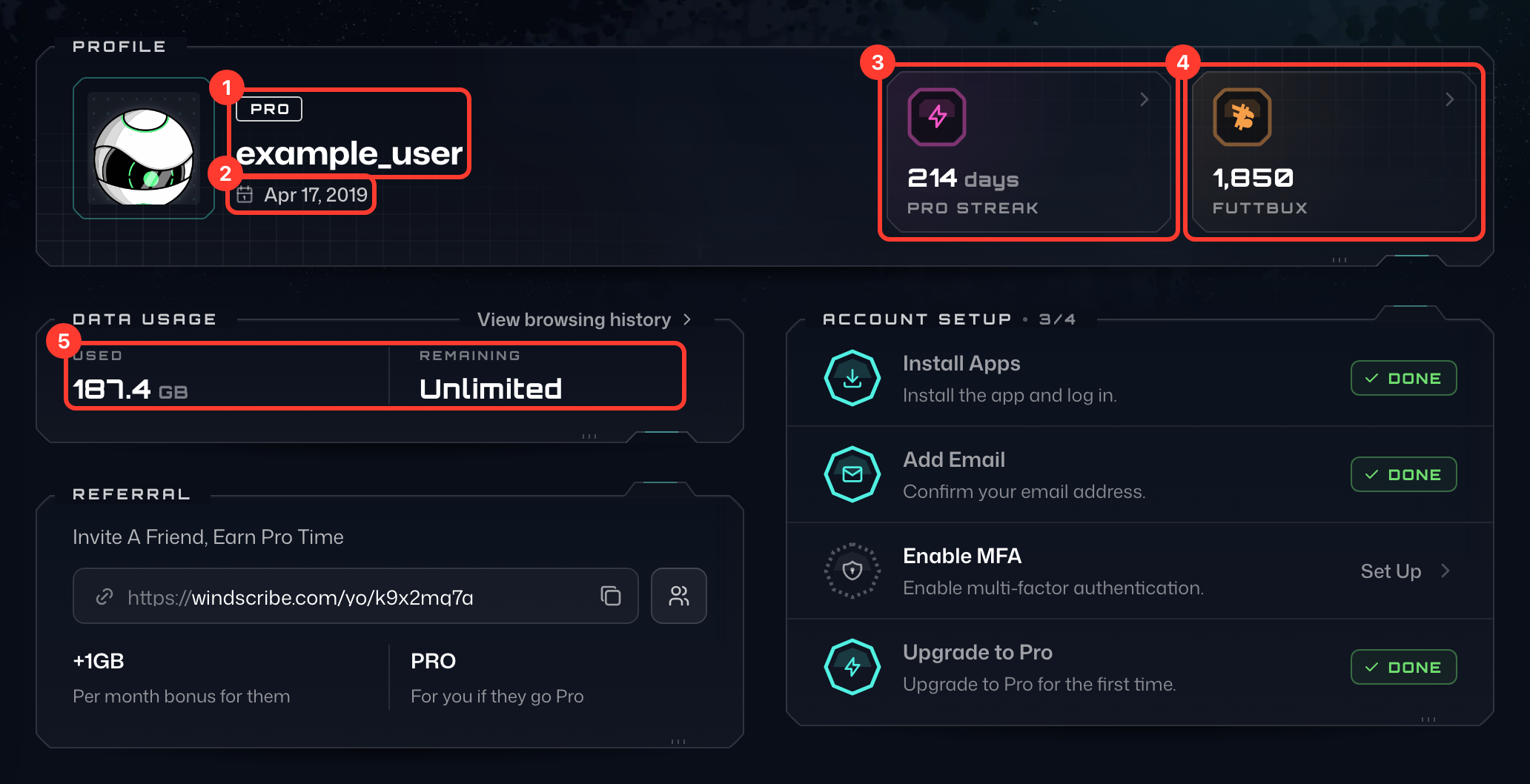
- Your username, with your plan above it (for example PRO or FREE).
- Member since: the date you created your account, next to the calendar icon.
- Pro Streak: how many days your current paid plan has been running (Plan Streak on a Build-a-Plan account).
- FuttBux: your FuttBux balance. Select it to open the My FuttBux page.
- Data Usage: how much data you've Used and how much is Left. On an unlimited plan, Remaining shows Unlimited. On plans with a data allowance, a Resets line shows the date your usage resets.
Account
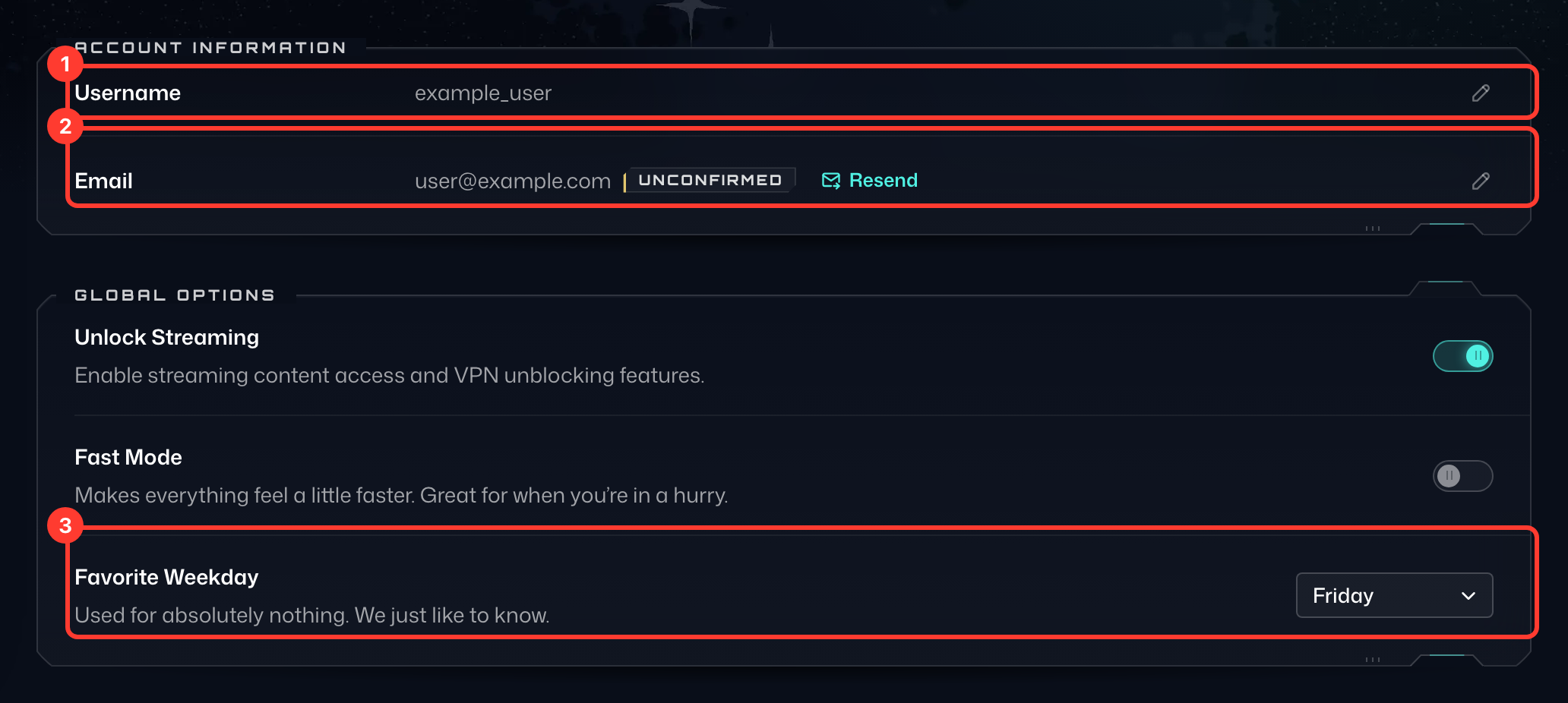
- Username: the name you log in with.
- Email: the email address on your account. Unconfirmed next to it means you still need to confirm it; select Resend to get a new confirmation email.
- Favorite Weekday: the day of the week you picked as your favorite. Pick another day from the menu to change it.
To change your username or email, select Edit (the pencil icon) on its row.
Billing
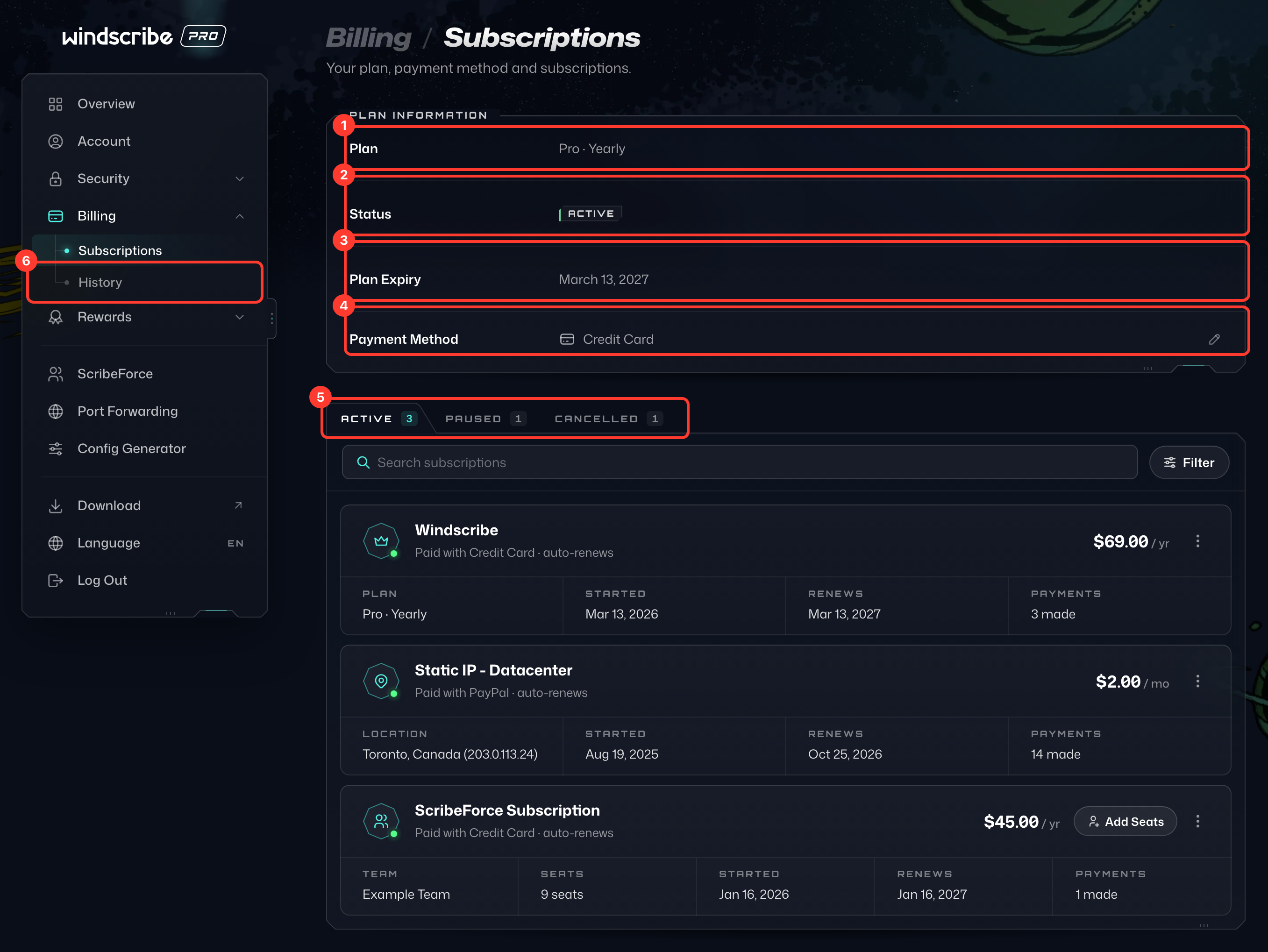
- Plan: your current plan.
- Status: whether your plan is active.
- Plan Expiry: the date your current plan ends.
- Payment Method: how you pay for your plan. For card payments, select Change to update your card.
- Subscriptions: your recurring subscriptions, sorted into Active, Paused and Cancelled tabs.
- History: your past payments. Select the receipt icon (View receipt) next to a payment to see its receipt.
Security
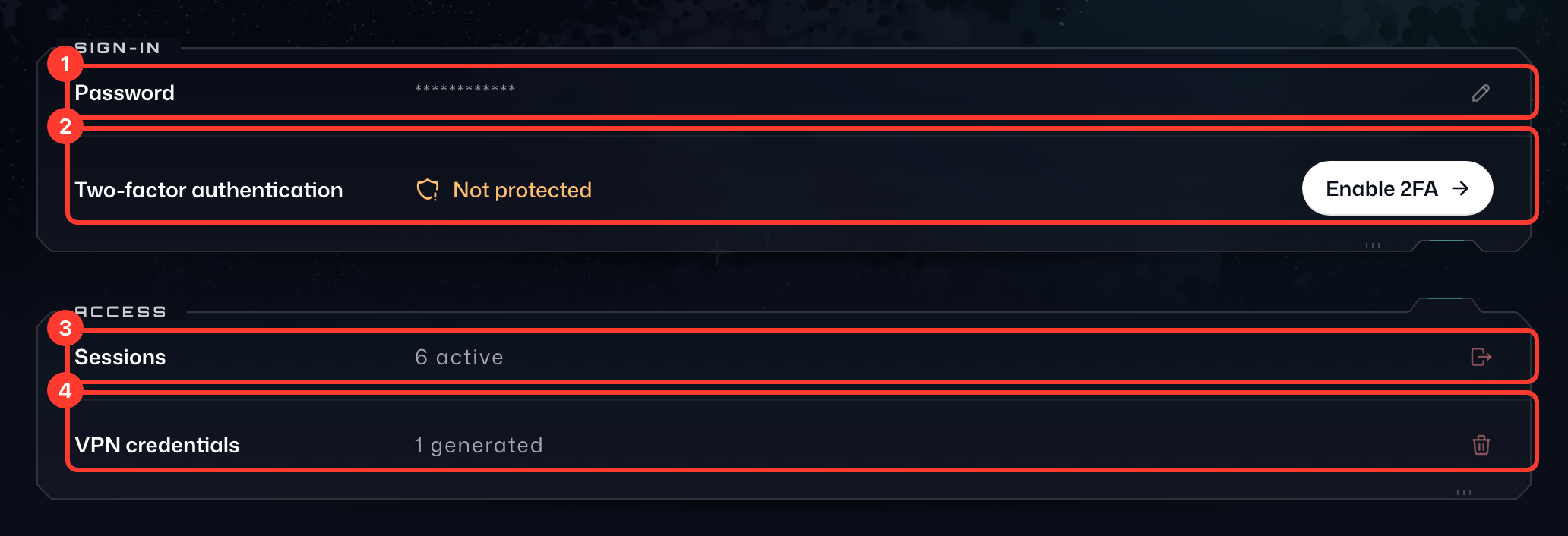
- Password: select Change (the pencil icon) to set a new password.
- Two-factor authentication: shows whether two-factor authentication is on (Protected or Not protected). Select Enable 2FA to set it up, or Manage once it is on.
- Sessions: how many sessions are active. Select Log out all to log out of all your web, extension, desktop and mobile sessions.
- VPN credentials: how many VPN credentials you have generated for manual configurations. Select Delete to delete them all; any manual config, static IP device or port forward that uses them will need to be set up again.
If there's something you can't find or you're unsure about, you can contact us and we'll help you out.