WTF are FuttBux?


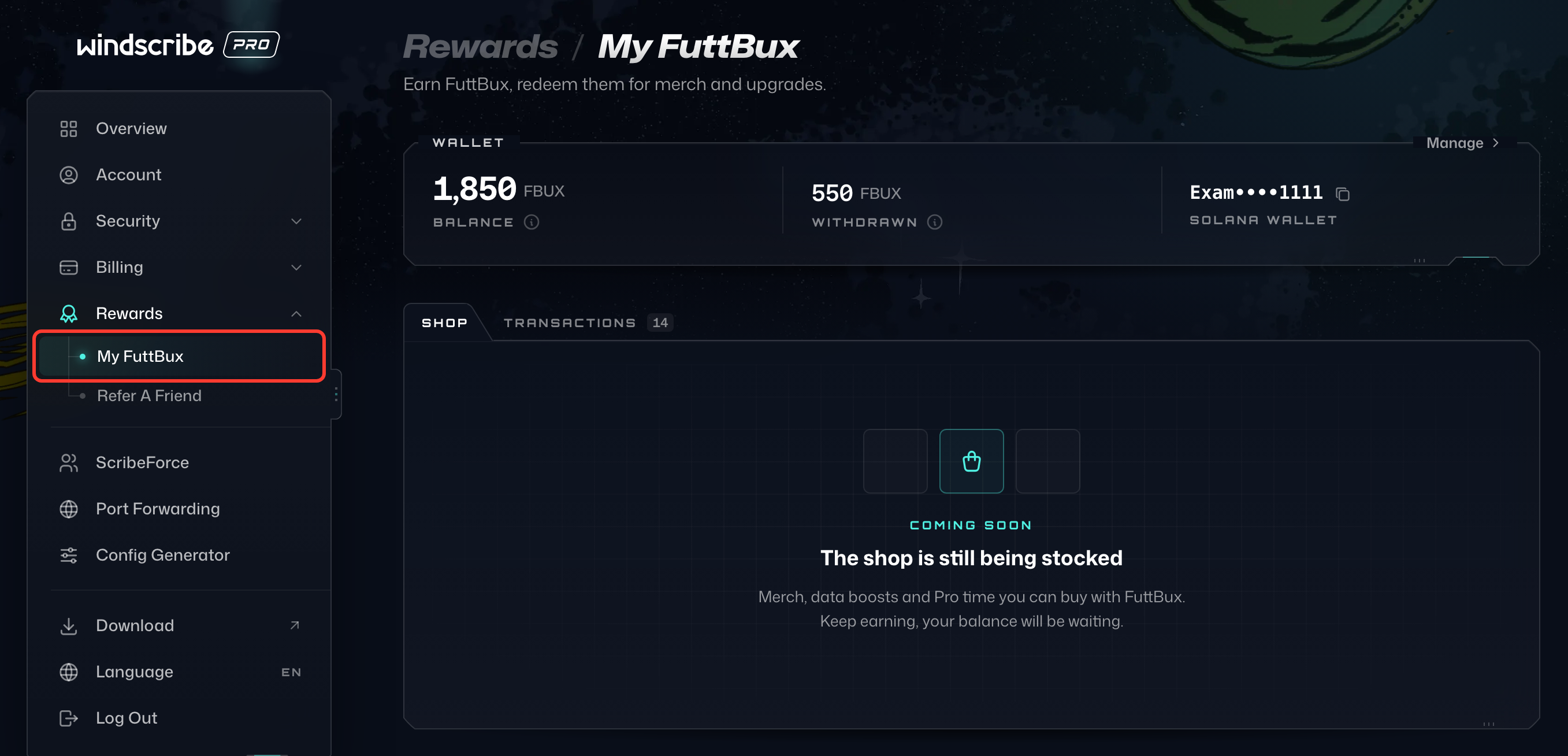
FuttBux (FBUX) are Windscribe's way of rewarding Pro users for not hogging bandwidth. If you have an active Pro subscription (not Free, not Build-a-Plan), you'll find them under Rewards › My FuttBux in My Account.
How do I earn FuttBux?
By using less data. That's it. The less bandwidth you consume, the more FBUX you rack up. Think of it as getting paid to chill.
FuttBux are acquired during 2 events:
- Whenever you successfully refer someone new who signs up and actually uses Windscribe. Learn how to refer a friend here.
- Each month when your data resets: the less data you used, the more FuttBux you get.
What do the numbers mean?
Balance (1) is what you've earned that hasn't been paid out yet. It goes to your wallet in an upcoming airdrop.
Withdrawn (2) is what has already landed in your wallet. The good stuff.
Withdrawn is a lifetime total, so it keeps going up over time. Think of it as a lifetime scoreboard that only goes in one direction.

How do I get paid?
Press Connect Wallet on the Wallet card. Until you connect a wallet, we'll just hold onto your FBUX for you like responsible adults.

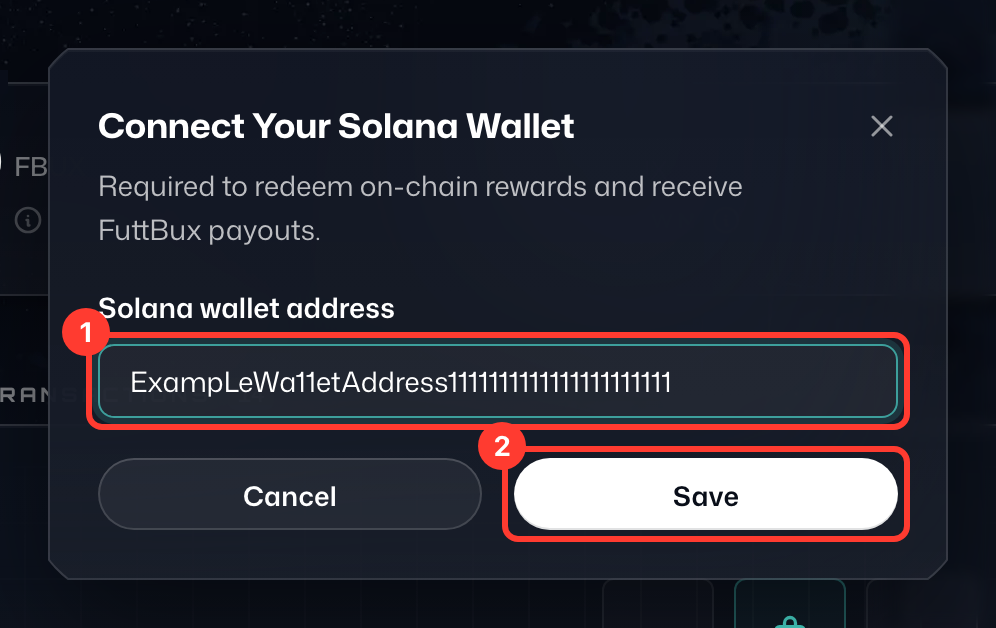
In the Connect Your Solana Wallet window, paste your Solana wallet address (1) and press Save (2). Once your wallet is connected, deposits will happen automatically. You don't need to do anything except exist. To change the address later, press Manage on the Wallet card.
When does everything update?
Whenever we feel like it. There's no fixed schedule for when balances, pending amounts, and deposits get processed. Just check back every now and then and be pleasantly surprised.
Transactions
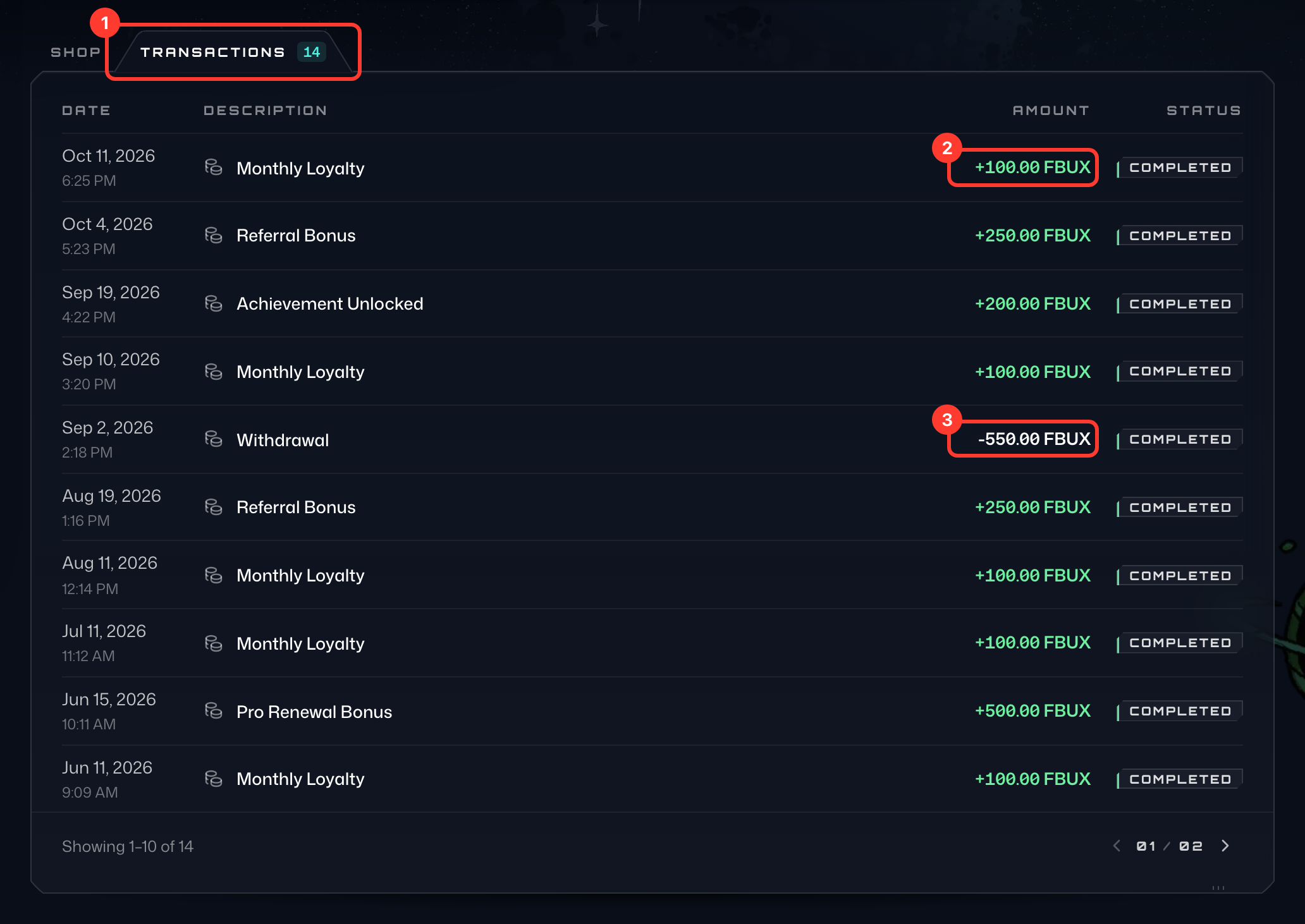
The Transactions tab (1), next to Shop, shows a log of what you've earned and what's been sent to your wallet, with the date, description, amount and status of each entry. Anything you earned shows up with a plus sign (2), and airdrops sent to your wallet (Withdrawal) show up with a minus sign (3).